> ## Documentation Index
> Fetch the complete documentation index at: https://myinternshiporganizer.com/docs/llms.txt
> Use this file to discover all available pages before exploring further.
# Place an intern with a host firm
> Secure places by calling firms, then assign each intern to one.
Placing an intern is the core of the job: deciding which company each student
actually works at. In practice you don't decide it — the host firm does, when
you call and ask.
So placement normally starts on the phone, not in Minto. You call firms until
one agrees to take students, record what they said, and Minto connects them to
the internship for you. Assigning the interns is the last step, not the first.
## The usual path
Log each call as you go — see
[Log a recruitment call](/docs/how-to/log-a-recruitment-call). When a firm agrees,
record the outcome **Intern approved** and how many places they'll take.
Recording places is what matters here: it connects the firm to the
internship automatically. You don't need to add it by hand afterwards.
On the internship, select **Interns & Firms**, then **Assigning**.
Select an intern under **Interns to assign**.
Select the firm you want them at. If the firm has workplaces set up, select
the specific workplace; otherwise select **Without workplace**.
The intern moves under that firm immediately.
Assign the remaining interns, then close the panel. There's no separate save
— each assignment applies as you make it.
## Before you begin
* Any role can log calls and assign interns.
* **The internship must still be in Setup** — that is, Requested or To Be
Rescheduled. Connecting firms and assigning interns both stop working once
it's approved, so do the placement before you approve. See
[What you can change, and when](/docs/reference/internship-phases).
* The interns must already be on the internship's roster.
* The firm must exist in your **Firms** list before you can call it, and needs
at least one workplace for a call to record places against — see
[Manage a host firm](/docs/how-to/manage-a-host-firm).
## Connecting a firm without a call
**Connect Firm**, on the **Interns & Firms** section, attaches a firm to the
internship directly. It's the shortcut, not the normal route.
Use it when the arrangement already exists and there's no call to log — a firm
you place with every year, or a placement agreed by email months ago. Anything
you connect this way has no call history behind it, so a colleague looking at
the firm later won't see why it's there.
If you're actively recruiting, log the call instead. You get the connection *and*
the record of who agreed to what.
## Result
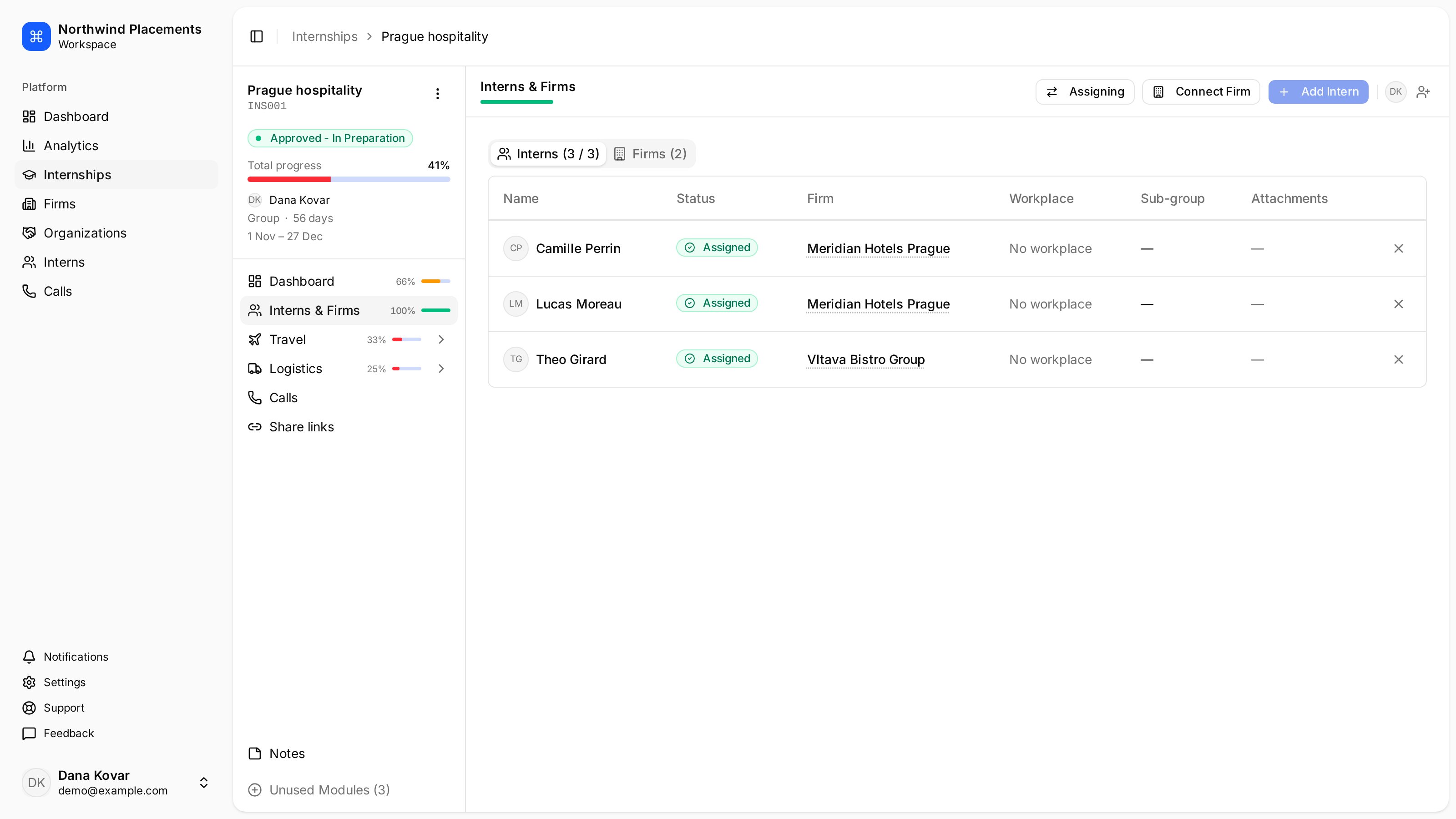
Every assigned intern shows **Assigned** and their firm on the **Interns** tab,
and the internships list counts them under **Assigned**.
 An internship reading `1/3` under **Assigned** has three interns on the roster
and one of them placed.
## Move or remove a placement
In **Assigning**, select the **✕** next to an intern under a firm to unassign
them. They return to **Interns to assign**, and you can place them elsewhere.
Unassigning doesn't remove them from the internship — they stay on the roster,
and it doesn't undo the call that secured the place.
## Troubleshooting
**"No firms connected. Connect a firm first."**
No firm has agreed to take anyone yet. Log a call with **Intern approved** and a
number of places, or use **Connect Firm** if the arrangement was made elsewhere.
**You logged an approved call but the firm isn't connected.**
Either no places were recorded, or the firm has no workplaces so there was
nowhere to record them. Add a workplace to the firm, then edit the call.
**Assigning does nothing, or fails with an error.**
The internship is already approved. Assignments and firm connections are only
editable in Setup — set the status back to **To Be Rescheduled** to make
changes.
**The firm you want isn't in the list when logging a call.**
It doesn't exist in your organization yet. Add it first — see
[Add a host firm](/docs/how-to/add-a-host-firm).
**An intern isn't in "Interns to assign".**
They're already placed. Look for them under one of the firms.
An internship reading `1/3` under **Assigned** has three interns on the roster
and one of them placed.
## Move or remove a placement
In **Assigning**, select the **✕** next to an intern under a firm to unassign
them. They return to **Interns to assign**, and you can place them elsewhere.
Unassigning doesn't remove them from the internship — they stay on the roster,
and it doesn't undo the call that secured the place.
## Troubleshooting
**"No firms connected. Connect a firm first."**
No firm has agreed to take anyone yet. Log a call with **Intern approved** and a
number of places, or use **Connect Firm** if the arrangement was made elsewhere.
**You logged an approved call but the firm isn't connected.**
Either no places were recorded, or the firm has no workplaces so there was
nowhere to record them. Add a workplace to the firm, then edit the call.
**Assigning does nothing, or fails with an error.**
The internship is already approved. Assignments and firm connections are only
editable in Setup — set the status back to **To Be Rescheduled** to make
changes.
**The firm you want isn't in the list when logging a call.**
It doesn't exist in your organization yet. Add it first — see
[Add a host firm](/docs/how-to/add-a-host-firm).
**An intern isn't in "Interns to assign".**
They're already placed. Look for them under one of the firms.