> ## Documentation Index
> Fetch the complete documentation index at: https://myinternshiporganizer.com/docs/llms.txt
> Use this file to discover all available pages before exploring further.
# Internship statuses
> What each internship status means, and which ones Minto works out from the dates.
Every internship has a status. Some you set yourself; others Minto works out
from the dates and shows in place of the stored status. Knowing which is which
explains why a status sometimes appears to change on its own.
## Statuses you set
| Status | Meaning |
| --------------------- | -------------------------------------------------------------------------------------------- |
| **Requested** | The internship has been asked for but not agreed. This is where every new internship starts. |
| **Approved** | The internship is agreed and going ahead. |
| **Prepared** | Everything is arranged — placements, travel and programme are in place. |
| **Rejected** | The internship won't go ahead. |
| **To Be Rescheduled** | Agreed in principle, but the dates need to change. |
## Statuses Minto works out
These three are never stored. Minto calculates them from the internship's dates
each time the list is shown, and displays them instead of the stored status.
| Status | When it appears |
| ------------ | ----------------------------------------------------------------------------------------------------------------------- |
| **Running** | The internship is **Approved** or **Prepared**, and the start date has passed. |
| **Finished** | The internship is **Approved** or **Prepared**, and it has *both* a start and an end date, and the end date has passed. |
| **Expired** | The internship is still **Requested**, and the start or end date has passed. |
Two things follow from this:
* **You can't set Running, Finished or Expired.** They appear on their own once
the dates pass, and disappear if you change the dates back.
* **Expired is a prompt, not a state.** It means a date passed while the
internship was still only requested. Change the status first — an expired
internship is frozen, so you can't fix the dates until you set it back to
**To Be Rescheduled**. See
[What you can change, and when](/docs/reference/internship-phases).
Exact dates are used when the internship has them. Otherwise Minto falls back to
the preliminary window, so an internship with only a rough window still becomes
Running and Finished at the right time.
## How statuses relate to placement
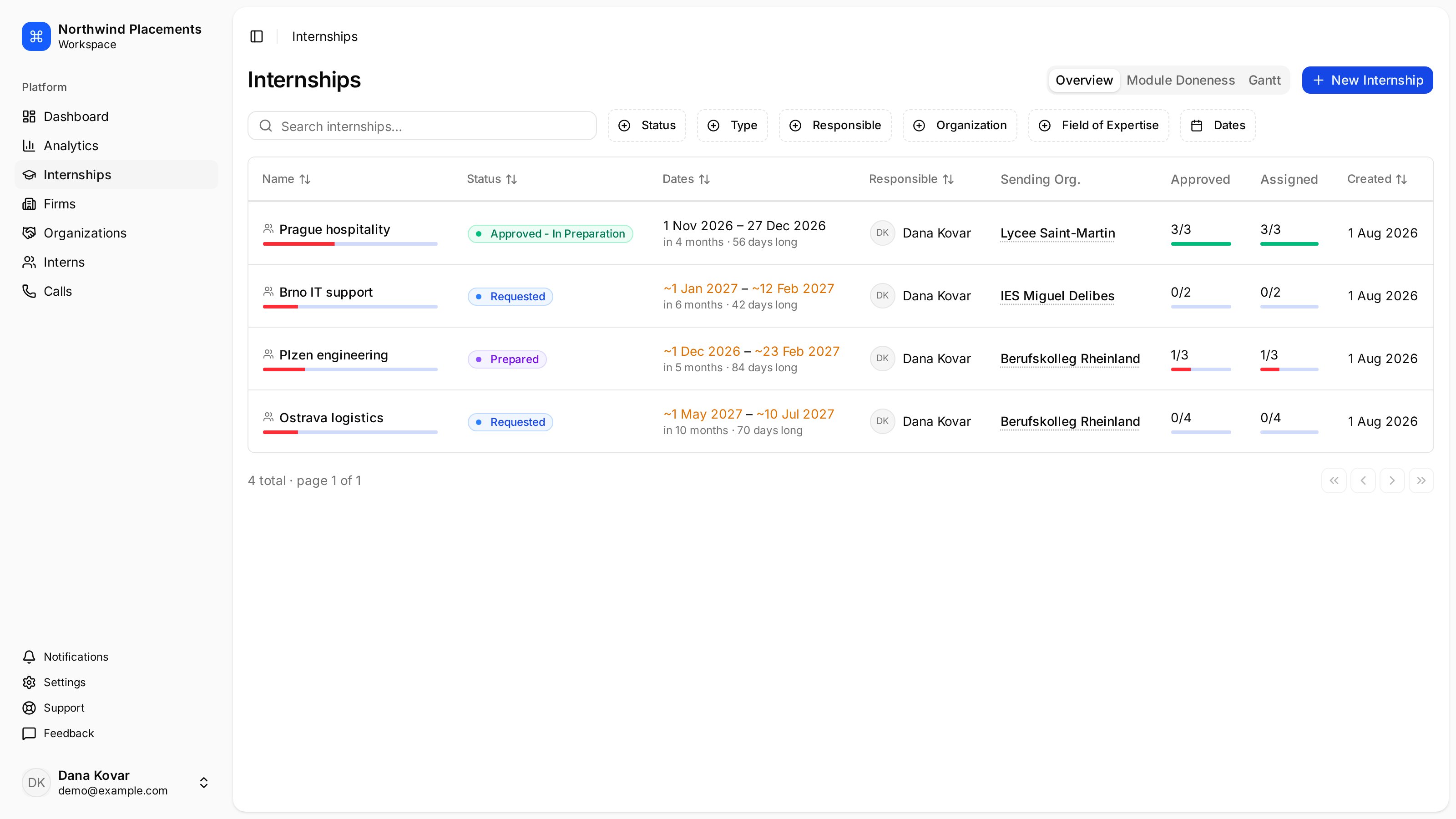
Status and placement progress are independent. An internship can be **Approved**
with nobody placed yet, and the list shows both:
* **Assigned** — interns who have been given a host firm.
* **Approved** — placements the host firm has confirmed.
 ## Filtering by status
On the internships list, select **Status** to filter.
The filter reads only the arrival and departure dates, never the preliminary
window. So an internship showing **Running**, **Finished** or **Expired**
because of its preliminary dates won't be returned by those filters — it comes
back under its stored status instead. If a filter seems to be missing
internships you can plainly see, this is why. Recording the arrival and
departure dates makes the filter agree with the badge.
## Filtering by status
On the internships list, select **Status** to filter.
The filter reads only the arrival and departure dates, never the preliminary
window. So an internship showing **Running**, **Finished** or **Expired**
because of its preliminary dates won't be returned by those filters — it comes
back under its stored status instead. If a filter seems to be missing
internships you can plainly see, this is why. Recording the arrival and
departure dates makes the filter agree with the badge.