A firm’s page is the single view of your relationship with a company: what they do, who you speak to, every call you’ve made, and every intern who has worked there.

Before you begin

  • Any role can edit a firm.
  • The firm must already exist — see Add a host firm.

What’s on the page

The Calls tab is the one to check before phoning. It shows what was said last time and by whom, which stops two colleagues making the same pitch a week apart.
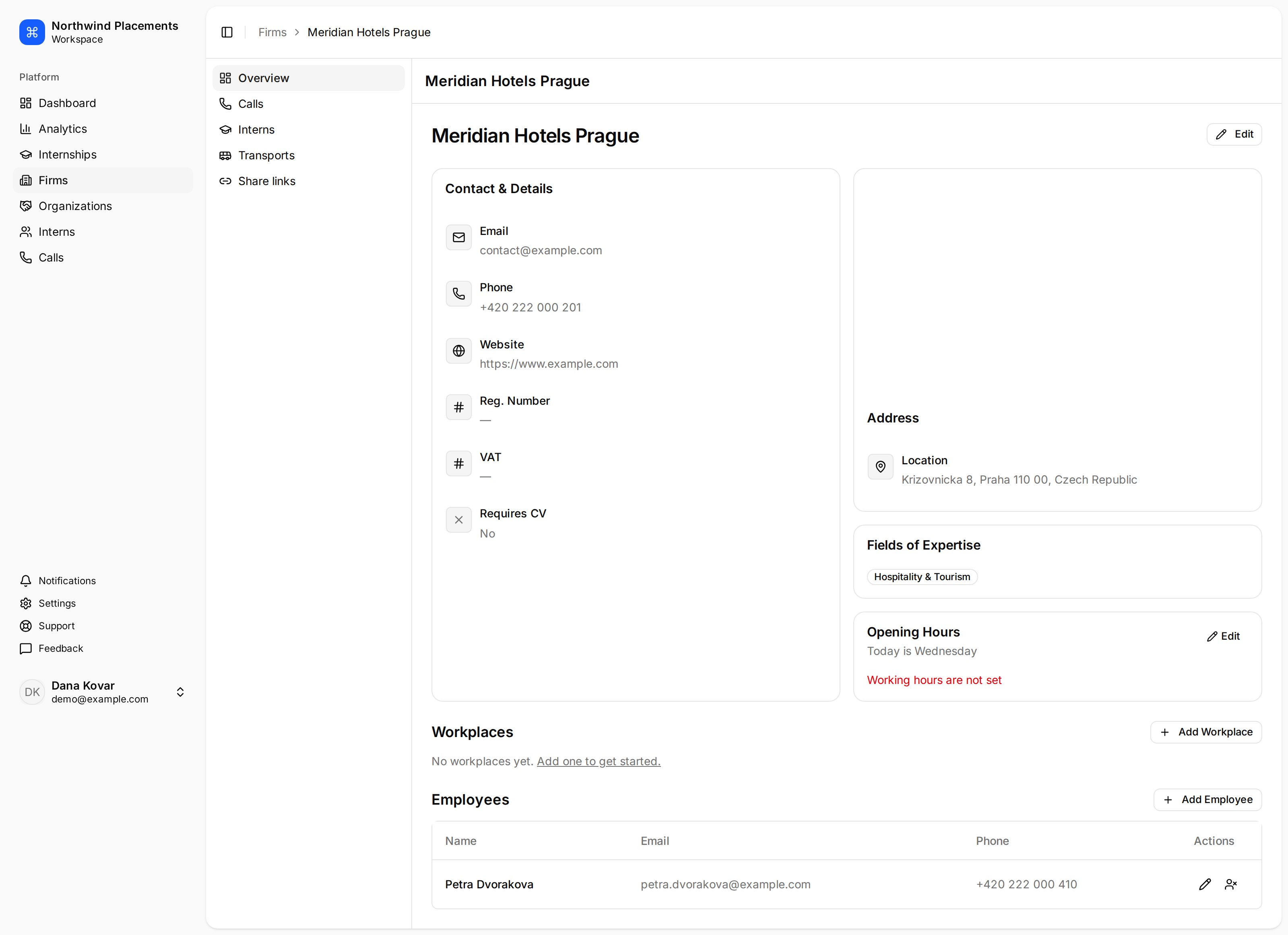
A Minto host firm page showing contact details, address, workplaces and employees, with tabs for calls, interns, transports and share links.

A host firm's Overview, with contact details, workplaces and employees.

Add an employee

Employees are the people you deal with at the firm. They matter beyond the phone number: share link recipients are chosen from a firm’s employees, so a firm with none can’t be sent candidates.
1

Open the firm

In the sidebar, select Firms, then select the firm.
2

Add the person

Under Employees, select Add Employee, enter at least a Last Name, then select Create.

Add a workplace

Workplaces are the separate sites a firm operates — a hotel group with three properties, a company with two branches. Interns are placed at a workplace rather than just at the firm, so the intern knows which address to turn up to.
1

Open the firm

Select Firms, then the firm.
2

Add the site

Select Add Workplace, enter a Name, then select Create.
Firms with a single site don’t need one — placements can sit directly on the firm, shown as Without workplace when assigning.

What they can host

A firm’s fields of expertise are what make it appear under Recommended when you’re looking for somewhere to place interns. They’re shown on the Overview, but there’s no control for editing them in the app today — ask Minto support to set them.

Troubleshooting

The firm doesn’t appear under Recommended when logging a call. It has no matching field of expertise, it’s already been called for this internship, or it’s marked Don’t Contact. See How firms get recommended. “No active employees on this firm.” Share links go to a firm’s employees. Either the firm has none recorded, or all of them have been deactivated.